
This week has been buzzing with conversations about a new Large Language Model (LLM) from China, DeepSeek-R1, developed by DeepSeek, a Chinese artificial intelligence company founded in 2023 by Liang Wenfeng, who also serves as its CEO. What’s turning heads is the model’s development cost—reportedly around $5.6 million USD—significantly cheaper compared to other large-scale models like OpenAI’s GPT-3 or GPT-4. The emergence of DeepSeek has stirred the AI community and even rattled the stock market, with many tech stocks dipping as this new contender enters the field.
What is DeepSeek-R1?
DeepSeek-R1 is a Large Language Model (LLM) that’s designed to understand and generate human-like text, similar to popular models like OpenAI’s GPT-3 and GPT-4. However, what makes DeepSeek-R1 stand out is its ability to deliver high-quality results in areas like math, programming, and reasoning at a fraction of the cost compared to many other large models.
Within the past week, DeepSeek has open-sourced DeepSeek-R1-Zero, along with six dense models distilled from the main DeepSeek-R1 architecture. These models offer various size options, making them flexible for use cases that require either power or efficiency.
The Project: Fortune-Telling Using an LLM
I decided to experiment with DeepSeek-R1 in Python, creating a simple application centered around fortune-telling and horoscopes—perfect for all you astrology enthusiasts out there! Using Python and Gradio for the UI, I designed the project to accept user input related to their zodiac signs and provide personalized, AI-generated fortunes based on questions.
The Setup: Crafting Your Fortune-Telling AI Adventure
To get started, I decided to download two of DeepSeek’s models locally—because, why settle for one when you can double the fun?
Step 1: Download and Install Ollama
Head over to Ollama.com and download the platform.
A little context here: Ollama is an AI platform designed to allow users to download, run and fine-tune AI models locally with the benefit of offering privacy, security, and faster responses without constant internet dependence.
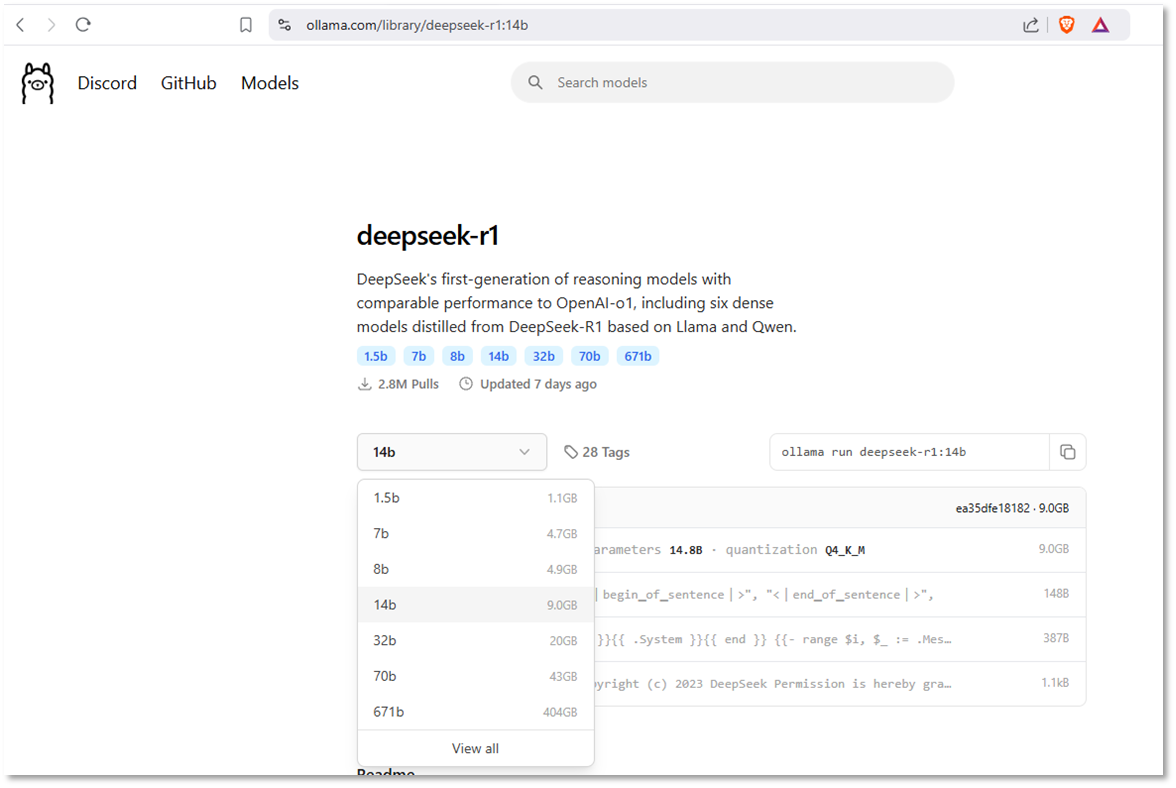
Step 2: Pull in the Models You Want
Once you’ve got Ollama installed, you’ll need to pull in the AI models you plan to use for your project. Just open your command prompt and use the ollama command to pull the model. For e.g., to pull deepseek-r1:1.5b use the following:
ollama pull deepseek-r1:1.5b
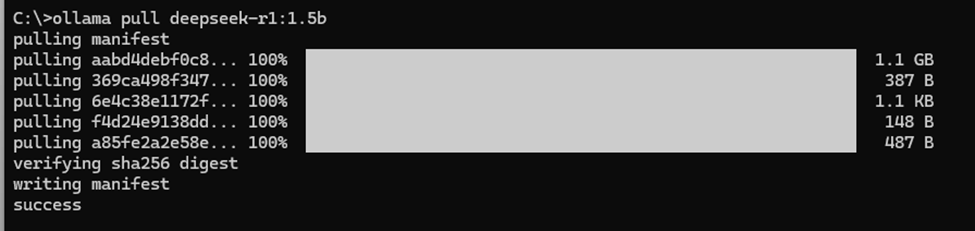
Each model offers different options for the number of parameters. Generally, the more parameters a model has, the slower its response time. However, this trade-off can lead to more accurate and comprehensive responses from the LLM.
Step 3: Set Up the Python Code
For this project, I used two libraries:
- Ollama: To summon the mystical wisdom of the AI models you’ve just pulled.
- Gradio: For creating a cool, interactive interface for your fortune-telling app.
# Import the necessary libraries
import gradio as gr
import ollama

# Function to generate the fortune based on the user's zodiac sign and question
def get_fortune(zodiac_sign, question):
    prompt = f"""
    You are a mystical astrologist known for giving wise and entertaining fortunes based on the stars.
    The seeker is a {zodiac_sign}, and they have asked: "{question}".
    Provide an intriguing, fun, and thought-provoking fortune while using mystical and astrological references.
    """
    response = ollama.generate(model="deepseek-r1:1.5b", prompt=prompt)
    return response.response.split("</think>")[1].strip()

# Path to the fortune-telling image (update to your image location if necessary)
image_path = "fortune_teller_image.png"  # Ensure the image is in the correct directory or provide an absolute path

# List of zodiac signs
zodiac_signs = [
    "Aries", "Taurus", "Gemini", "Cancer", "Leo", "Virgo", "Libra", "Scorpio", "Sagittarius", "Capricorn", "Aquarius", "Pisces"
]

# Gradio interface setup
with gr.Blocks() as fortune_teller_app:
    gr.Markdown("# 🔮 Mystic Star Signs Fortune Teller 🔮")
    gr.Markdown("**Ask the stars your question and discover what fate has in store for you!**")

    # Display the resized mystical image without any label
    gr.Image(value=image_path, height=300, width=400, show_label=False)

    # Zodiac sign selection
    zodiac_input = gr.Radio(label="Select Your Zodiac Sign", choices=zodiac_signs, type="value")

    # User question input
    question_input = gr.Textbox(label="What would you like to ask the stars?", placeholder="Enter your question here...")

    # Button to generate the fortune
    generate_fortune_button = gr.Button("Reveal My Fortune")

    # Output area for displaying the fortune
    fortune_output = gr.Textbox(label="Your Fortune", lines=5, interactive=False)

    # Event handler for generating the fortune
    def generate_fortune(zodiac_sign, question):
        if not zodiac_sign or not question.strip():
            return "Please select your zodiac sign and ask a question to reveal your fortune."
        return get_fortune(zodiac_sign, question)

    generate_fortune_button.click(fn=generate_fortune, inputs=[zodiac_input, question_input], outputs=fortune_output)

# Launch the Gradio app
fortune_teller_app.launch()
The Fortune Telling UI
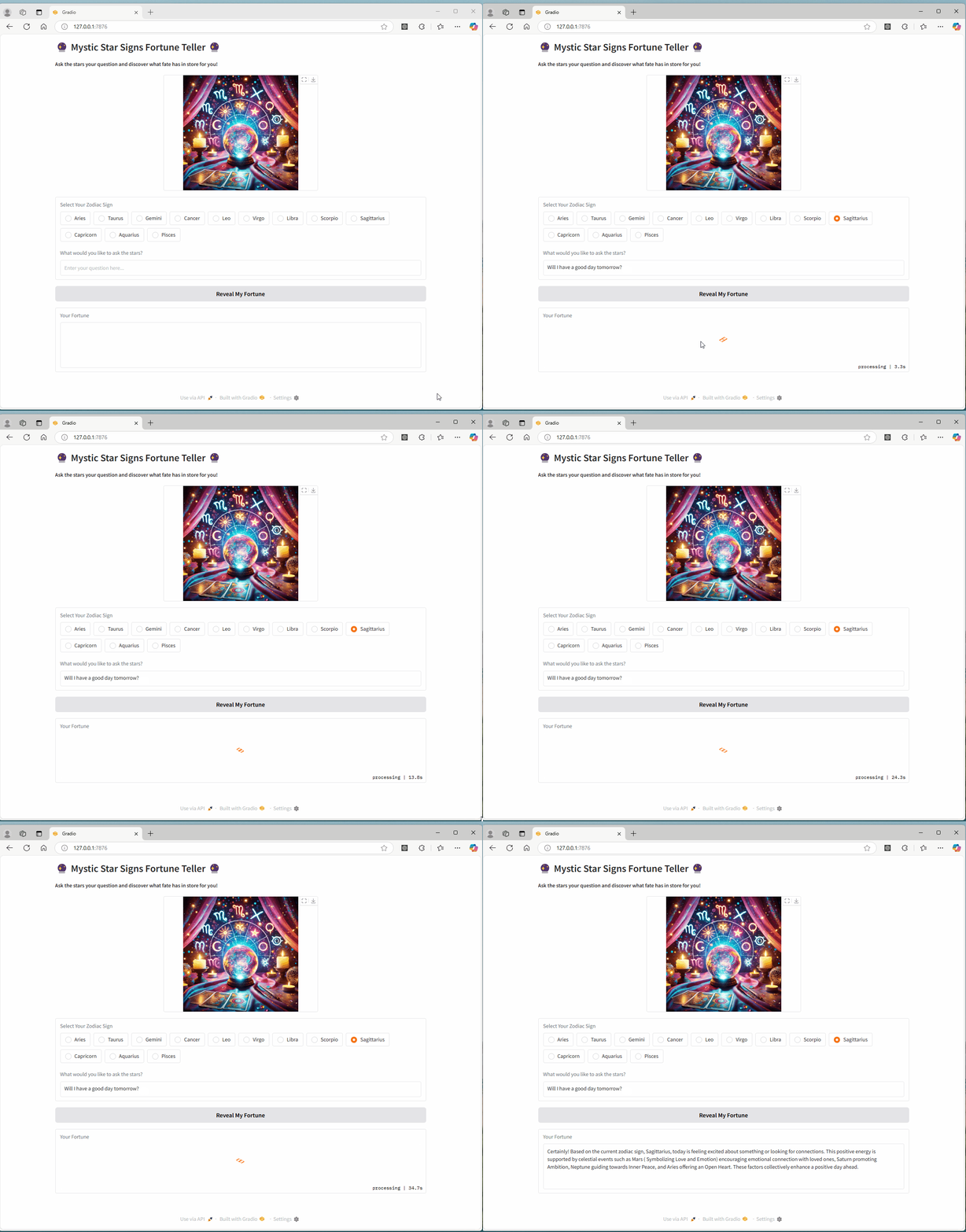
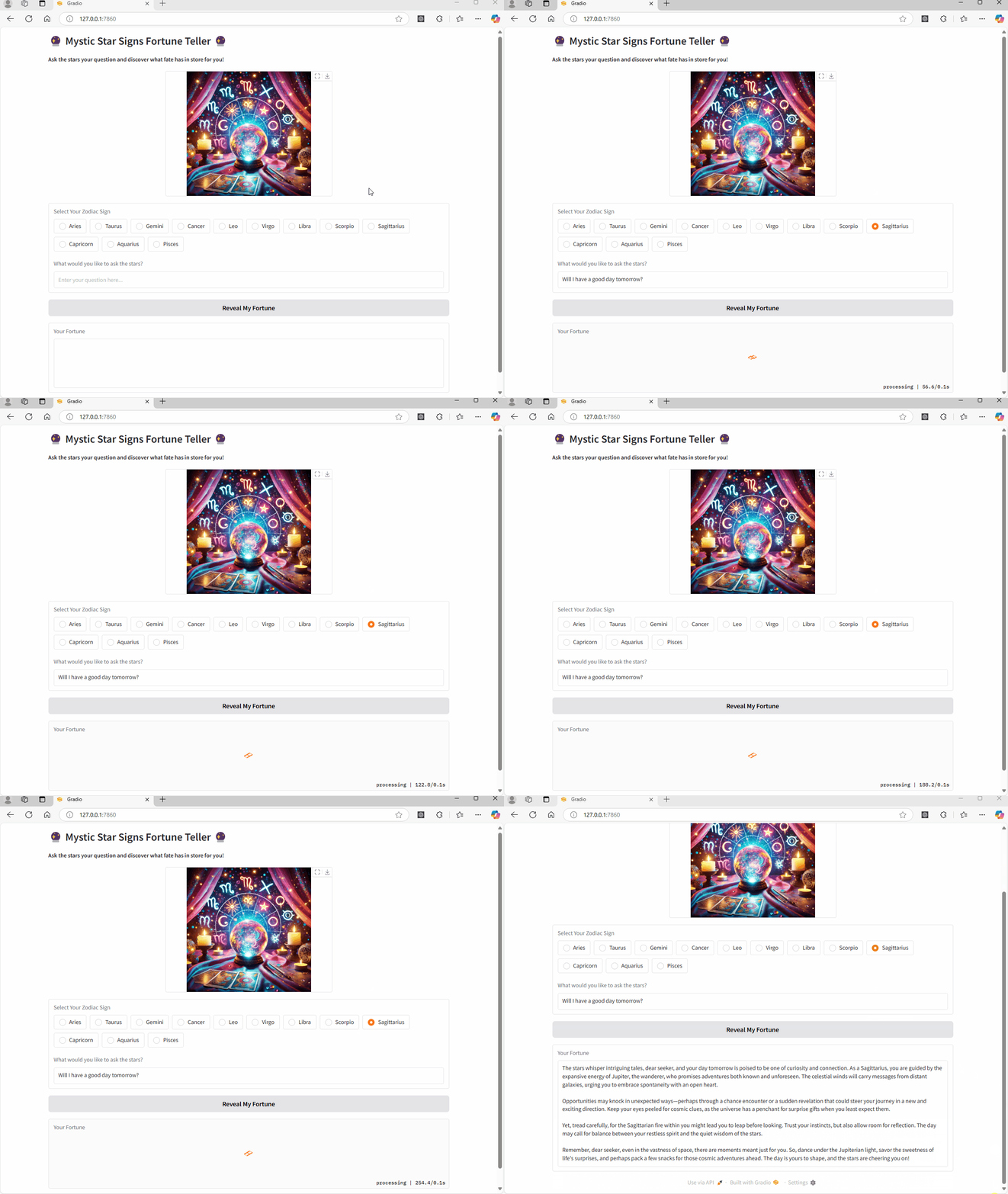
I used both the deepseek-r1:1.5b and deepseek-r1:14b to show a comparison in the results.
Deepseek-r1:1.5b Results
Deepseek-r1:14b Results

Takeaway
As the AI landscape rapidly evolves, open-source models like DeepSeek-R1 and Meta’s LLaMA are redefining how developers, researchers, and tech enthusiasts interact with cutting-edge AI. DeepSeek demonstrates that building powerful models doesn’t always require millions (or even billions) of dollars or vast infrastructure—it’s about optimized training, efficient algorithms, and community-driven development.
Here’s why you should give DeepSeek-R1 a try:
- Affordable Power: DeepSeek proves that high-quality AI can be developed on a fraction of the budget, democratizing access to powerful LLMs.
- Customization Freedom: With open-source availability, you’re not just limited to pre-designed outputs—you have the freedom to fine-tune models, adapt them to your needs, and innovate in your projects.
- Privacy and Local Control: Unlike models reliant on cloud access, you can run DeepSeek locally, ensuring security, privacy, and quicker response times.
Disclaimer: This blog is based on my personal experience and research with DeepSeek-R1 and related AI tools. Results may vary depending on how you use them, your system setup, and the model version. This is not professional advice or an endorsement of any AI platform. I encourage you to explore the models on your own, follow the guidelines, and stay updated on any changes. Use AI responsibly, as open-source models may have limitations or require customization for specific needs.

